
ProdRoads documentation
Import and export
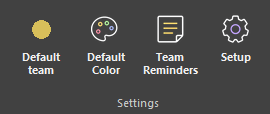
Open Setup → Workspace to import or export .prw workspace files.
Export Workspace writes the current key dates, teams, people, and portraits to a portable .prw workspace file.
Import Workspace can replace the current workspace or add its contents. Add mode ignores duplicate key dates, teams, and people instead of creating repeated entries.
Roadmap blocks are not included in workspace files.
Where to find it
See it in action
The example below imports a .prw workspace file into the current roadmap.
| Import mode | Result |
|---|---|
| Replace | Replaces the current workspace structure |
| Add | Keeps current data and adds non-duplicate entries |
Open a `.prw` file directly to create a new `.pr` roadmap from that workspace. The new roadmap is automatically synchronized with the workspace file.
Replace removes the current workspace structure before importing the selected file. Roadmap blocks remain in the project.