
ProdRoads documentation
Days and weeks
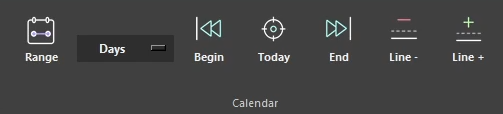
Use the time-scale menu in the Calendar section of the ribbon to switch between Days and Weeks.
The selected scale changes the width and meaning of timeline cells without changing the underlying block dates. Day mode is useful for detailed planning; week mode provides a more compact overview of longer productions.
Time Summary follows the same setting and reports remaining availability in days or weeks.
Where to find it
See it in action
The example below switches between Days and Weeks to change the timeline scale without modifying block dates or durations.
| Scale | Best for |
|---|---|
| Days | Detailed scheduling and short tasks |
| Weeks | Long productions and compact overviews |
Tip
Switching scale changes only the presentation. It does not alter block dates or durations.