
ProdRoads documentation
Team reminders
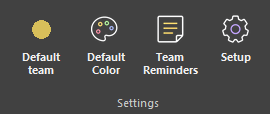
Use Team Reminders in the Settings section to maintain reusable work items for each team.
Add reminder text and enable Keep when the reminder should remain available after use. Without Keep, the reminder is removed once it creates a block.
In Per People, right-click an empty cell to choose a reminder from the team associated with that line. The new block uses the reminder text and the clicked period.
Where to find it
See it in action
The example below creates reusable work items in Team Reminders, then uses a reminder to create a block from an empty timeline cell.
| Keep | Behavior after use |
|---|---|
| Enabled | Reminder remains available |
| Disabled | Reminder is removed after creating a block |
Tip
Keep recurring work items and leave one-off reminders disabled.