
ProdRoads documentation
Filters
Filters help you focus.
They let you reduce a roadmap to the lines, teams, or text that matter for the current conversation.
What filters are for
Use filters when a roadmap is too large for the question you are answering.
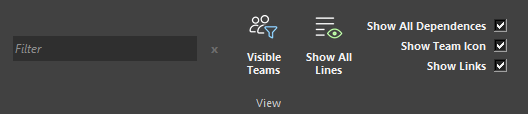
Use the Filter bar to search the roadmap by text. Use Visible Teams to display only the teams relevant to the current review.
Filtering does not change the roadmap content. It changes what is visible.
Where to find it
See it in action
The example below uses text and team filtering to focus the roadmap on relevant work.
Tip
Enter + between terms to search for several different words at once.