
ProdRoads documentation
Warnings
Warnings identify roadmap situations that require attention.
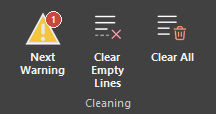
They can report blocks moved by external dependencies, overlapping blocks, or external files that can no longer be found. Warning icons appear on affected blocks and the ribbon reports the total number still requiring review.
Use Next Warning to move through them. Depending on the warning, choose to keep it visible, mark it as seen, or let ProdRoads adjust the layout automatically.
| Warning | What to review |
|---|---|
| External movement | A local block moved after its external parent changed |
| Overlap | One block may hide another on the same line |
| Missing file | A referenced external roadmap cannot be found |
Where to find it
See it in action
The example below uses Next Warning to locate an affected block, then opens the warning details for review.
Tip
Use Next Warning to review issues in order. ProdRoads switches view automatically when the next warning belongs elsewhere.