
ProdRoads documentation
Timeline navigation
Move horizontally to explore dates and vertically to browse roadmap lines.
- Use the mouse wheel to scroll vertically.
- Hold
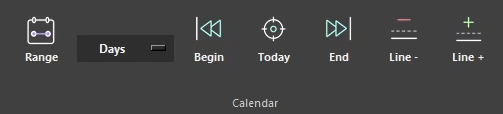
Ctrlwhile using the mouse wheel to scroll horizontally. - Use Begin, Today, and End to jump to important positions.
When external files are displayed, horizontal navigation stays synchronized between every file. Vertical scrolling remains independent for each visible file area.
Where to find it
See it in action
The example below scrolls through the timeline, then uses Today to return directly to the current date.
Horizontal navigation
Ctrl + Mouse wheel
Tip
Switching between Per Topic and Per People preserves the date currently visible on screen. This makes it possible to inspect the same period from another point of view without losing context.