
ProdRoads documentation
Key dates
Key dates mark important moments such as reviews, deliveries, approvals, or production gates.
Each key date has a name, date, and color. It appears in the black key-date row and as a colored vertical line through the roadmap.
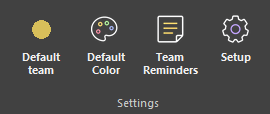
Reader and Editor both display key dates. Editor users can create and edit them from Setup > Key Dates.
Where to find it
See it in action
The example below opens Key Dates from Setup, then creates and edits production dates displayed across the roadmap.
Tip
Use short names and distinct colors so key dates remain readable while navigating the timeline.