
ProdRoads documentation
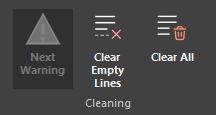
Clear empty lines
Use Clear Empty Lines in the Cleaning section to compact the current roadmap structure.
In Per Topic, empty topic rows are removed while required group rows are preserved. In Per People, unused lines are removed and remaining assignments are compacted.
ProdRoads always keeps at least one line for every person and every Not assigned yet section.
Where to find it
See it in action
The example below removes empty lines and compacts the roadmap while preserving every line that still contains work.
| View | What is removed |
|---|---|
| Per Topic | Empty topic rows not required by groups |
| Per People | Additional unused person and unassigned lines |
Tip
Run Clear Empty Lines after reorganizing or reassigning a large amount of work.