
ProdRoads documentation
Topics and People
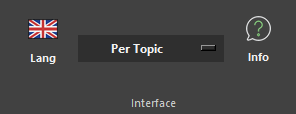
Per Topic and Per People are two representations of the same roadmap blocks.
A block created or edited in one view is reflected in the other. Topic names, dates, durations, teams, colors, links, and dependencies remain connected.
Assignments determine where a block appears in Per People. A block without an assigned person appears under Not assigned yet for its team.
Select a block and press F, or use Find in People/Topic mode, to locate the corresponding block in the other view.
Where to find it
See it in action
The example below adjusts a block in Per People, then returns to Per Topic to show that the same block has been updated there as well.
Find in the other view
F
Tip
Use Per Topic to review scope and Per People to review ownership without duplicating roadmap data.