
ProdRoads documentation
Display options
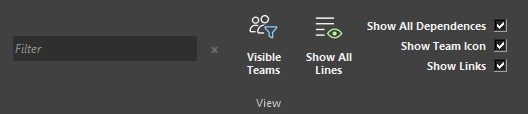
The View section of the ribbon controls which information is drawn on roadmap blocks.
| Option | Visible information |
|---|---|
| Show All Dependencies | Every dependency arrow |
| Show Team Tag Icon | Team-color circles |
| Show Links | Link icons |
These settings change only the current presentation. Hiding an icon does not remove its team, dependency, or link data.
Where to find it
See it in action
The example below hides and restores dependency arrows, team icons, and link icons without changing the roadmap data.
Tip
Hide visual layers during presentations when they are not relevant to the current discussion.